Redesigning a living space is more than just changing furniture or colours - it is about creating an environment that feels elegant, attractive, and welcoming at the same time. With the right balance of colours, lighting, textures, and décor, any room can be transformed into a space that reflects style, comfort, and personality. Small, thoughtful design choices often make the biggest impact, proving that elegance does not always require a large budget. A well-designed living space not only enhances the beauty of a home but also improves the way people relax, connect, and enjoy everyday moments.
In a living space, there are many elements to consider, such as the sofa, table, curtains, door and window designs, carpet, wall décor accessories, modular media storage, and floor lighting. Choosing the right items for your living room can make it look more attractive and well-designed.
When it comes to selecting the right objects for your living room, you can find many options in the default item library as well as in the downloaded library items. If you want even more choices, you may need to purchase additional power packs for this application.
For example, we started with a basic living space that didn’t have any furniture or décor.
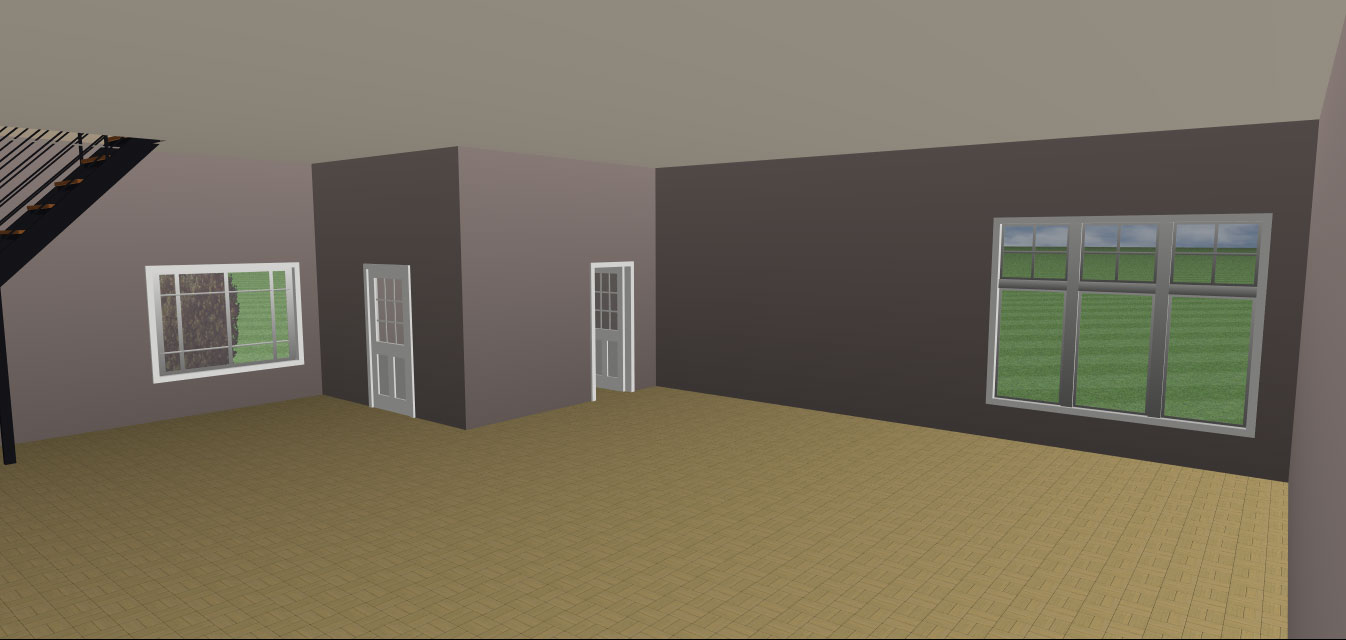
Now it’s time to make our living space more attractive and visually appealing. To do this, we will use both the default libraries and the downloaded libraries.
Where we can find downloaded libraries?
You can find the downloaded library items under Display Downloaded Library Items. To do this, first launch the application and then click on the highlighted icon.
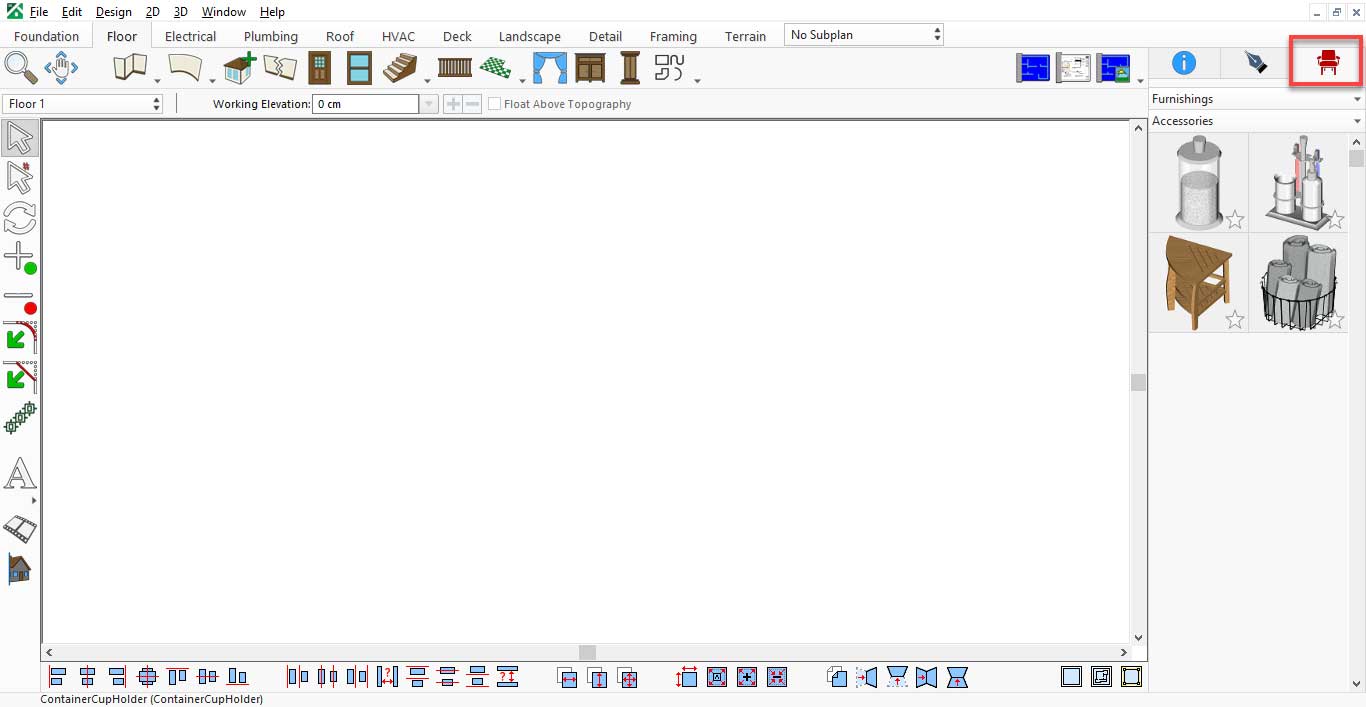
After that, click on Accessories and then select Display Downloaded Library Items.
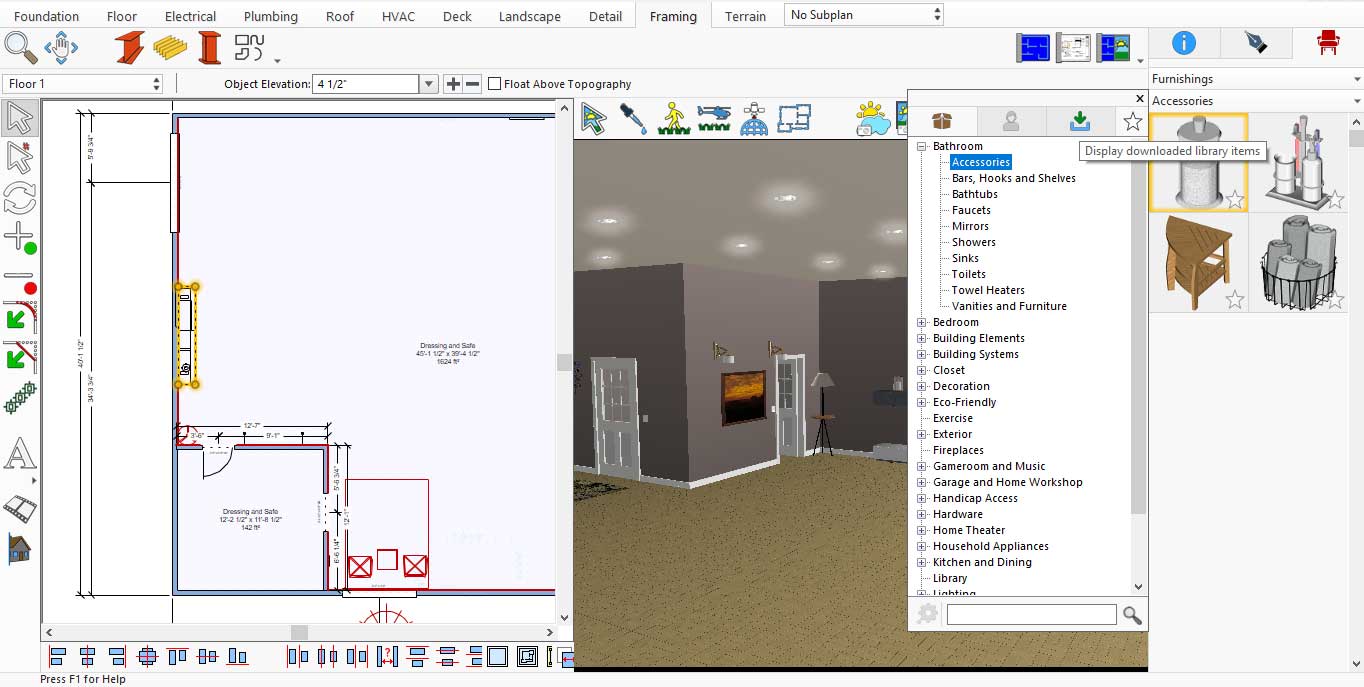
In the Display Downloaded Library Items, you will find many Modular Media Storage options for your LED TV. You can choose any one of them based on your living room’s design and layout.
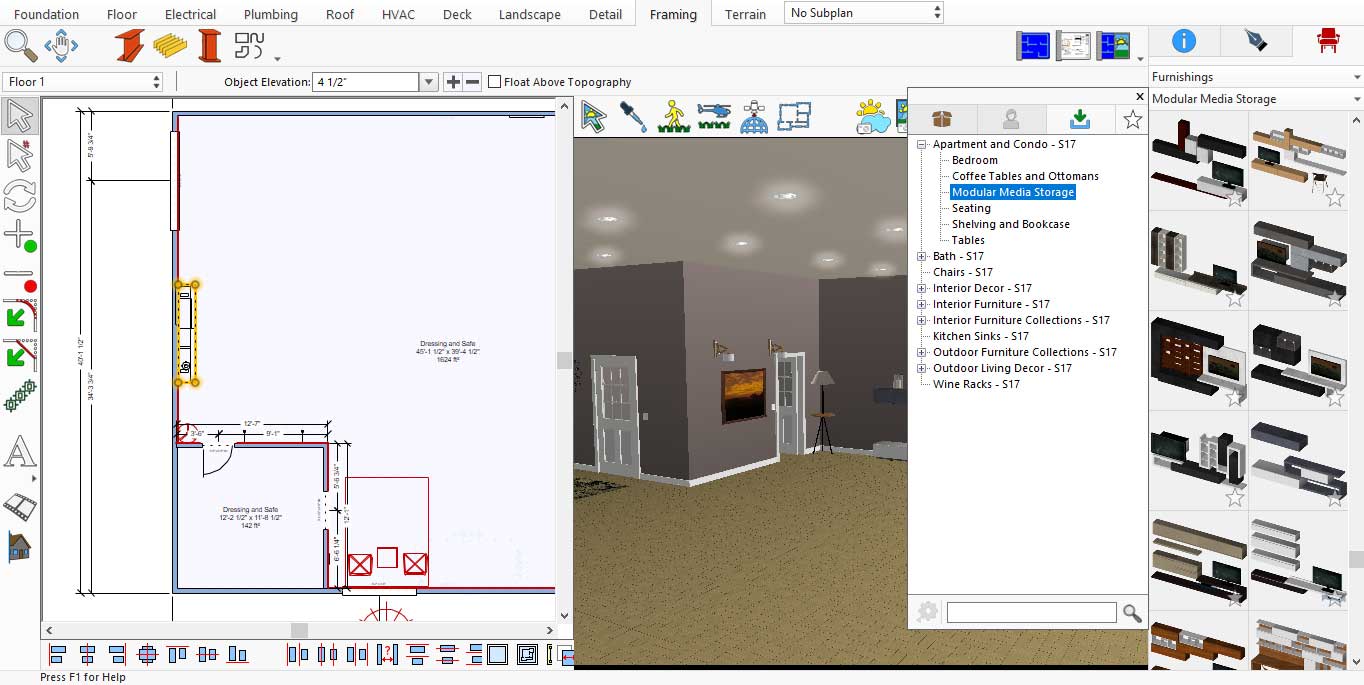
Modular Media Storage Designs for Living room
This application offers a wide variety of window designs, and you can choose any one according to your preference for your living room. If you later decide to change the window design, simply click on the added window, and you will see different design options displayed on the right-hand side.

Window Designs for Living room
Similarly, this application offers a wide variety of door designs. You can choose any one according to your preference for your living room. If you decide to change the door design later, simply click on the added door, and the available options will appear on the right-hand side.
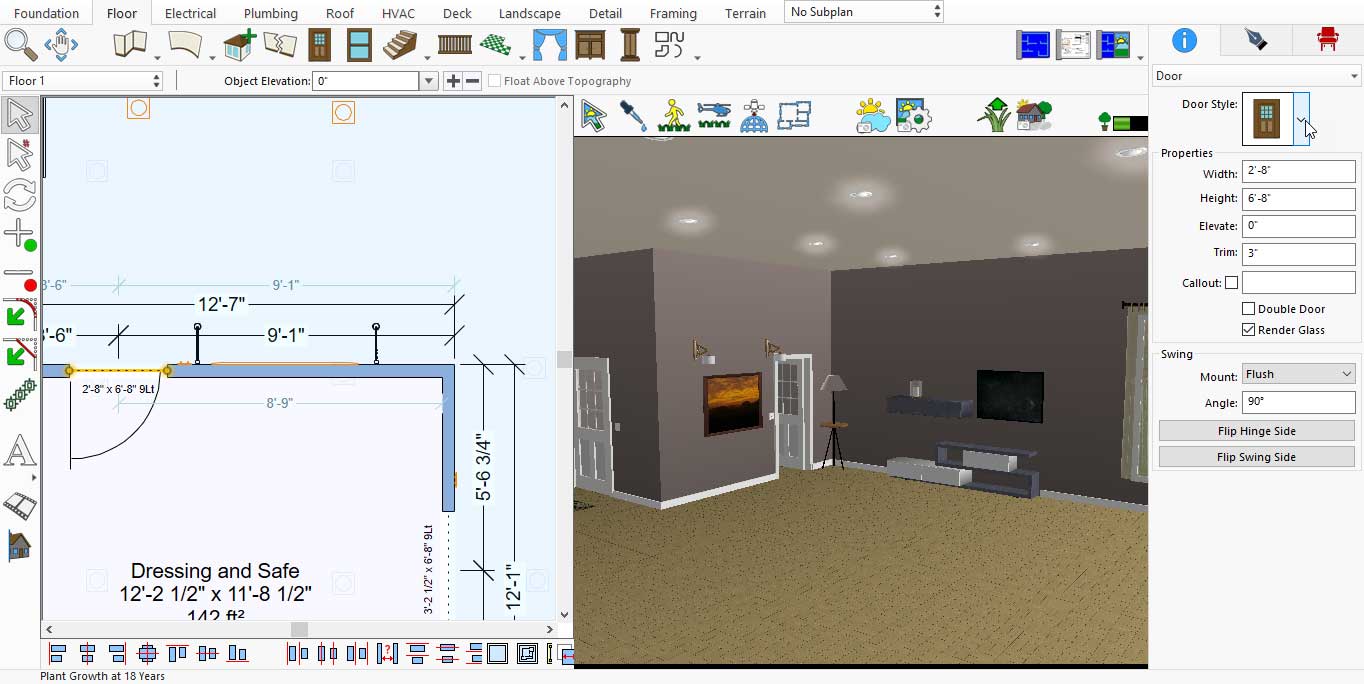
When you click on the drop-down icon, the different door designs will appear on the right-hand side.

Door Designs for Living room
Wall accessories play a vital role in the overall appearance of the living room. To enhance your space, choose mirrors, shelves, and frames from the Display Downloaded Library Items.
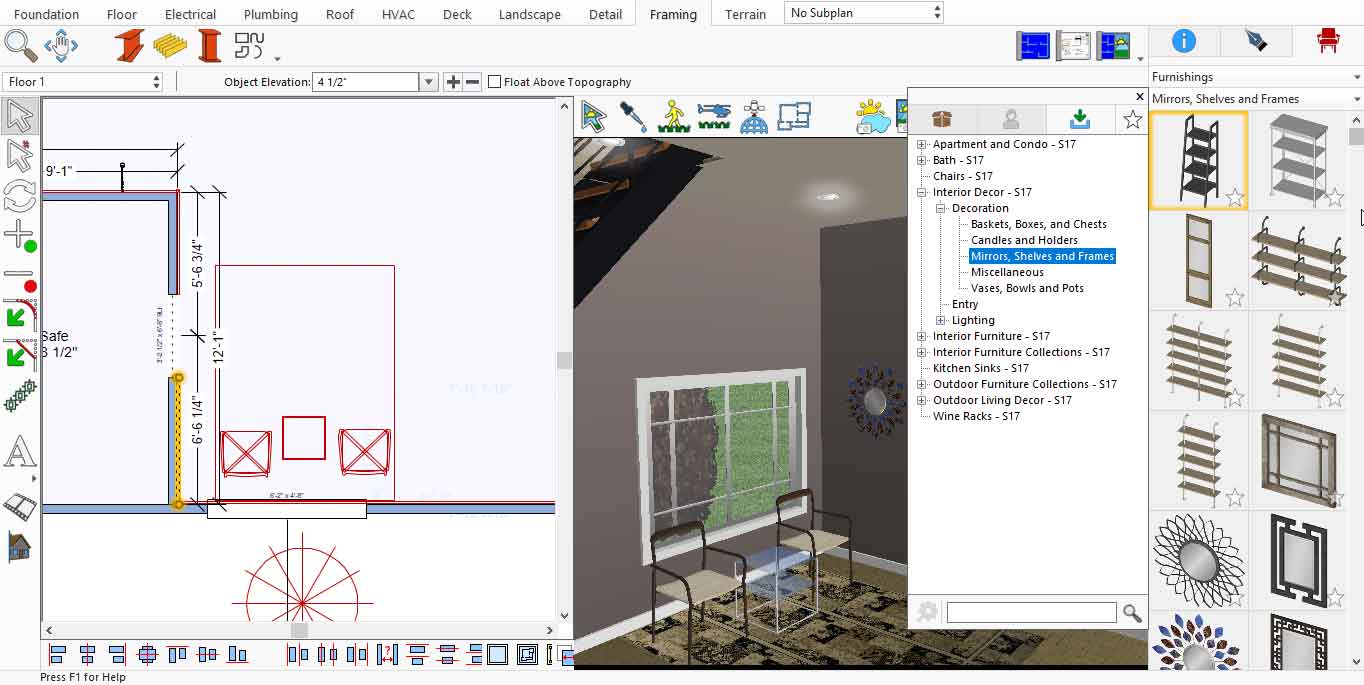
Wall accessories collection for Living room
Similarly, floor décor pieces greatly enhance the overall look of the living room. To add them, select Floor under Lighting in the Interior Décor section from the Display Downloaded Library Items.
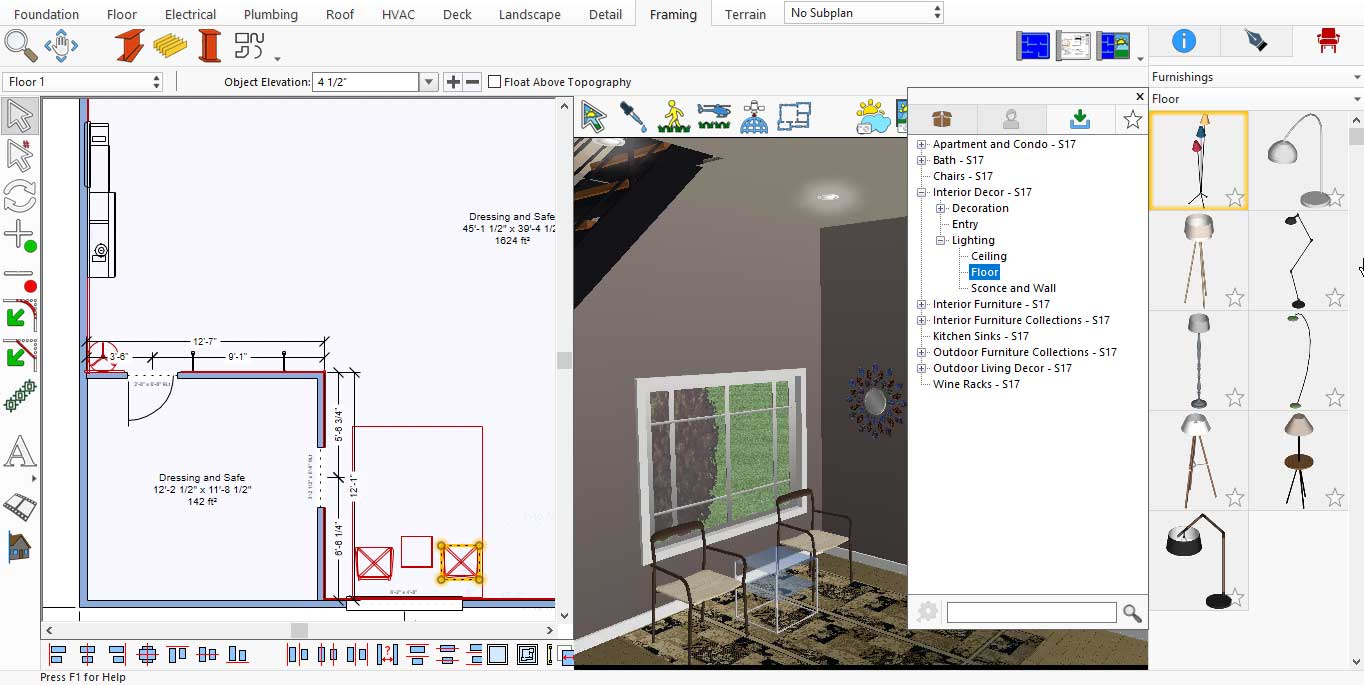
Floor décor pieces collection for Living room
A living room feels incomplete without a carpet. To add one, choose Karastan Rung under Décoration in the default installed items.
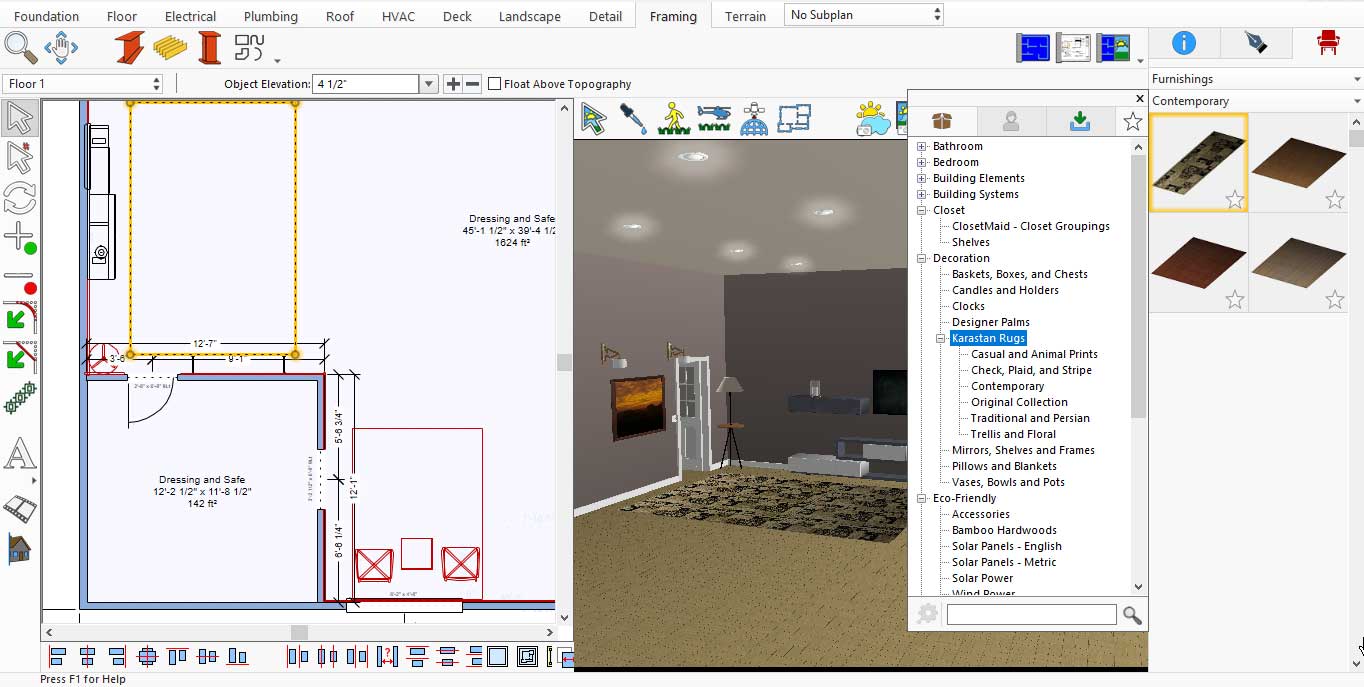
More Designs of Carpets for Living room
If you want to add furniture, such as a sofa suite, to your living room, this application offers a wide variety of designs. You can find them under Interior Furniture in the Living Room section after selecting Display Downloaded Library Items.
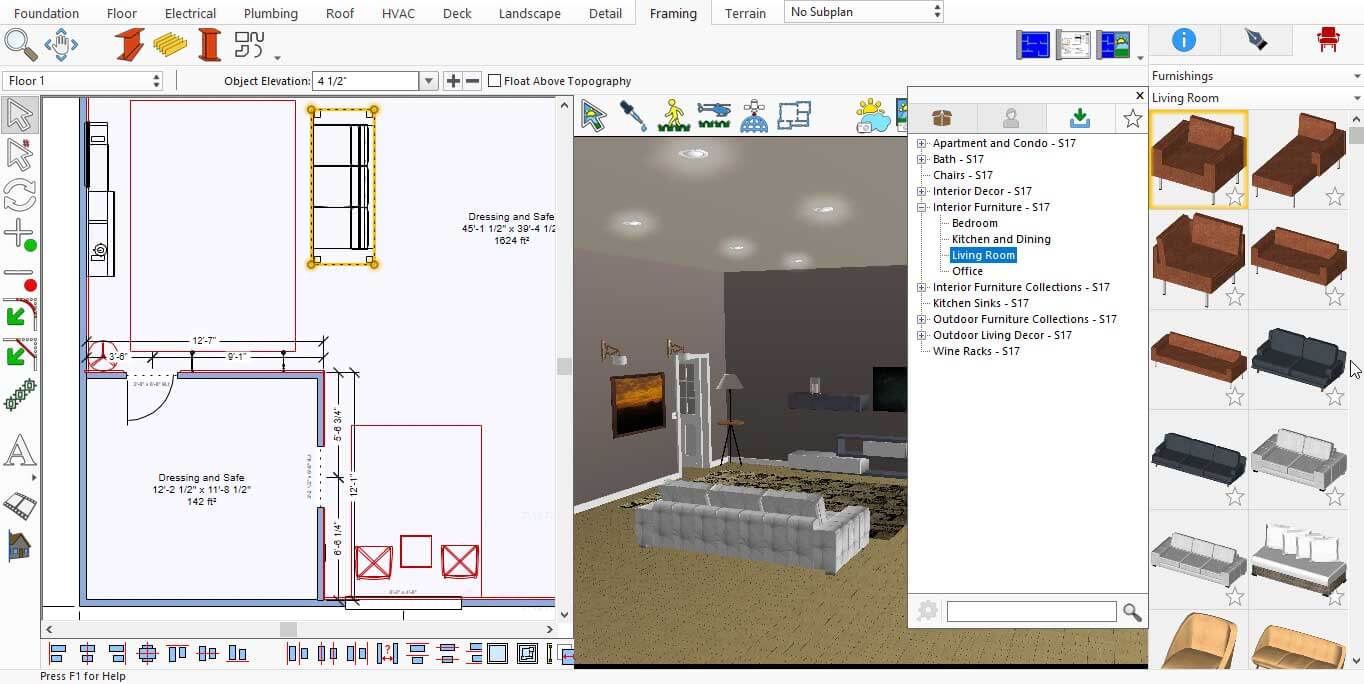
More Designs of Sofa set
Similarly, if you want to add a table to your living room, there are many table designs available in this application. You can find them under the Interior Furniture collection in Oldhedge after selecting Display Downloaded Library Items.
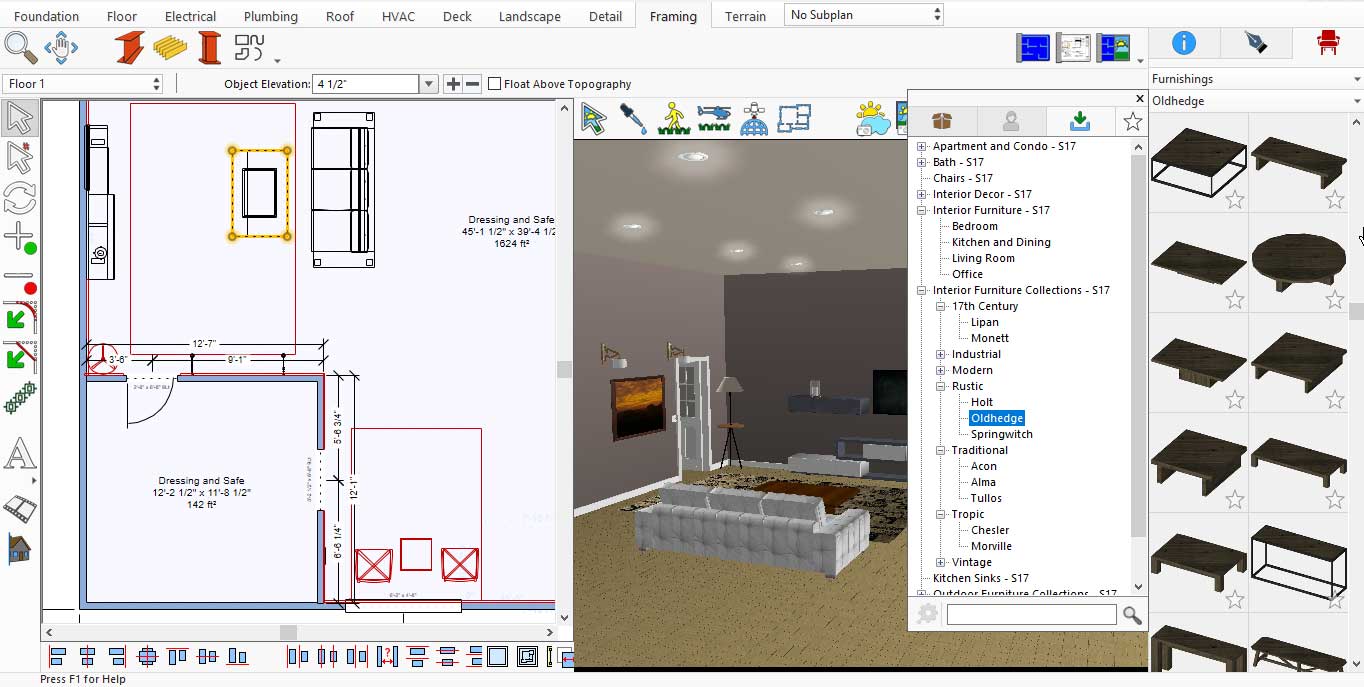
More Designs of Tables for Living room
After placing all the accessories in the living room, you will need to render it to see the final results.
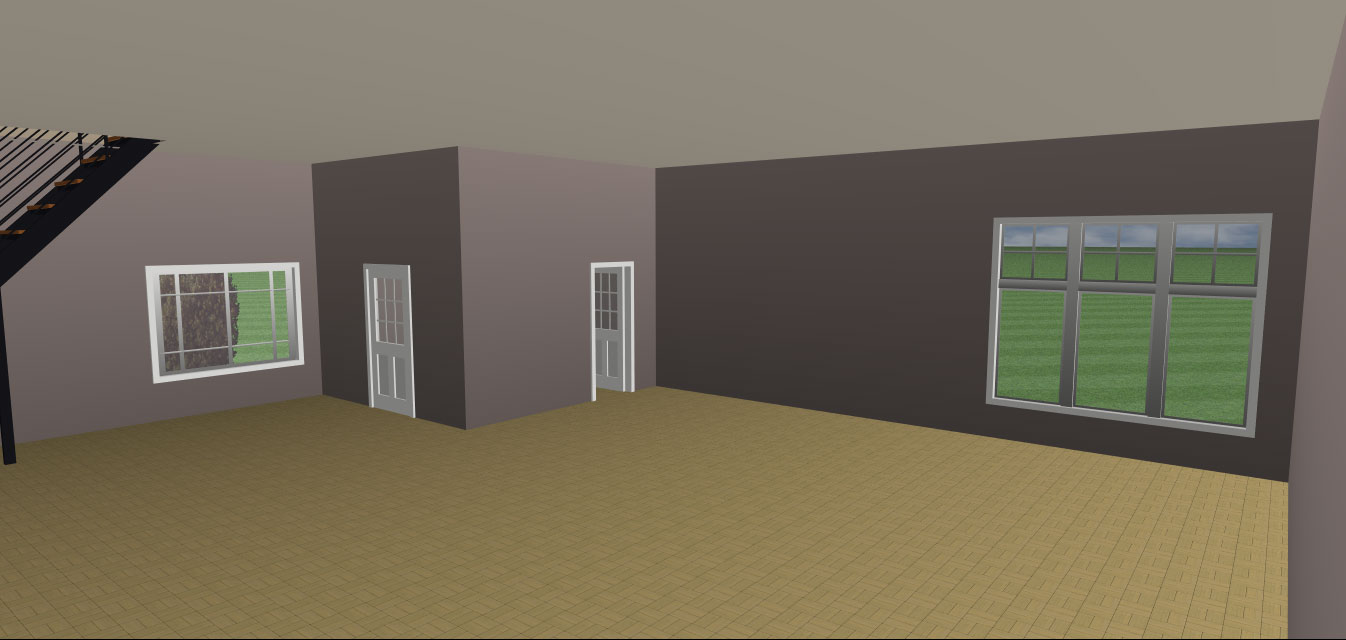
Before renovating the look of the Living room
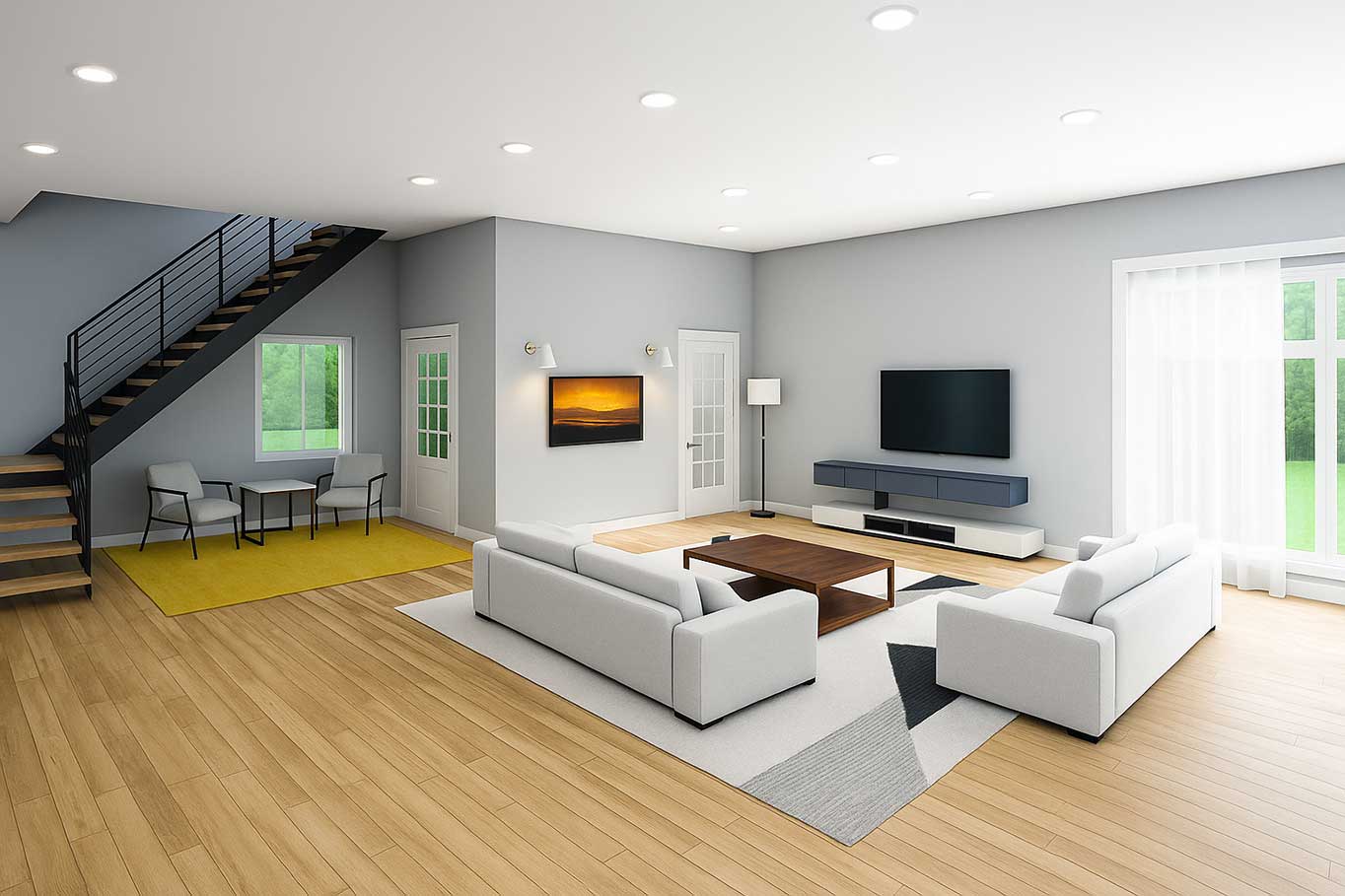
After renovating the look of the Living room
Designing a living space using the right tools and décorative elements makes the entire process creative, flexible, and enjoyable. From selecting furniture, carpets, doors, and windows to adding wall accessories, lighting, and modular storage, each element plays an important role in creating an elegant and attractive living area. The use of default and downloaded libraries provides a wide range of design options, making it easier to customise the space according to personal preferences. The final rendered view clearly shows how thoughtful selection and proper placement of accessories can completely transform a living space into a well-balanced, stylish, and welcoming environment.
Now it’s your turn: to redesign your space and enjoy the beauty of your efforts every day.