Disclaimer: The features described in this blog require the Home Design Copilot Add‑On. You can purchase the add‑on here: Home Design Copilot
Designing a home often begins with questions. Whether you’re planning a new house, renovating a room, choosing materials, or exploring different architectural styles, finding reliable guidance can take time. Home Design General Question Copilot serves as an intelligent assistant that helps answer a wide range of home design questions quickly and clearly.
From space planning and interior design ideas to exterior improvements, color selection, furniture placement, lighting, and building materials, the Copilot provides practical insights to support every stage of your design journey. Instead of spending hours searching through multiple resources, you can ask questions in natural language and receive helpful, easy-to-understand responses tailored to your project.
In this blog, we’ll explore how Home Design General Question Copilot can simplify the design process, improve decision-making, and help homeowners and designers turn ideas into well-planned, functional, and visually appealing living spaces.
Home Design General Question Copilot: Step-by-Step Guide
Begin by opening an existing home design project or load one of the sample projects included with the application. Once the project is open, click the Copilot icon on the toolbar to launch the Copilot window.
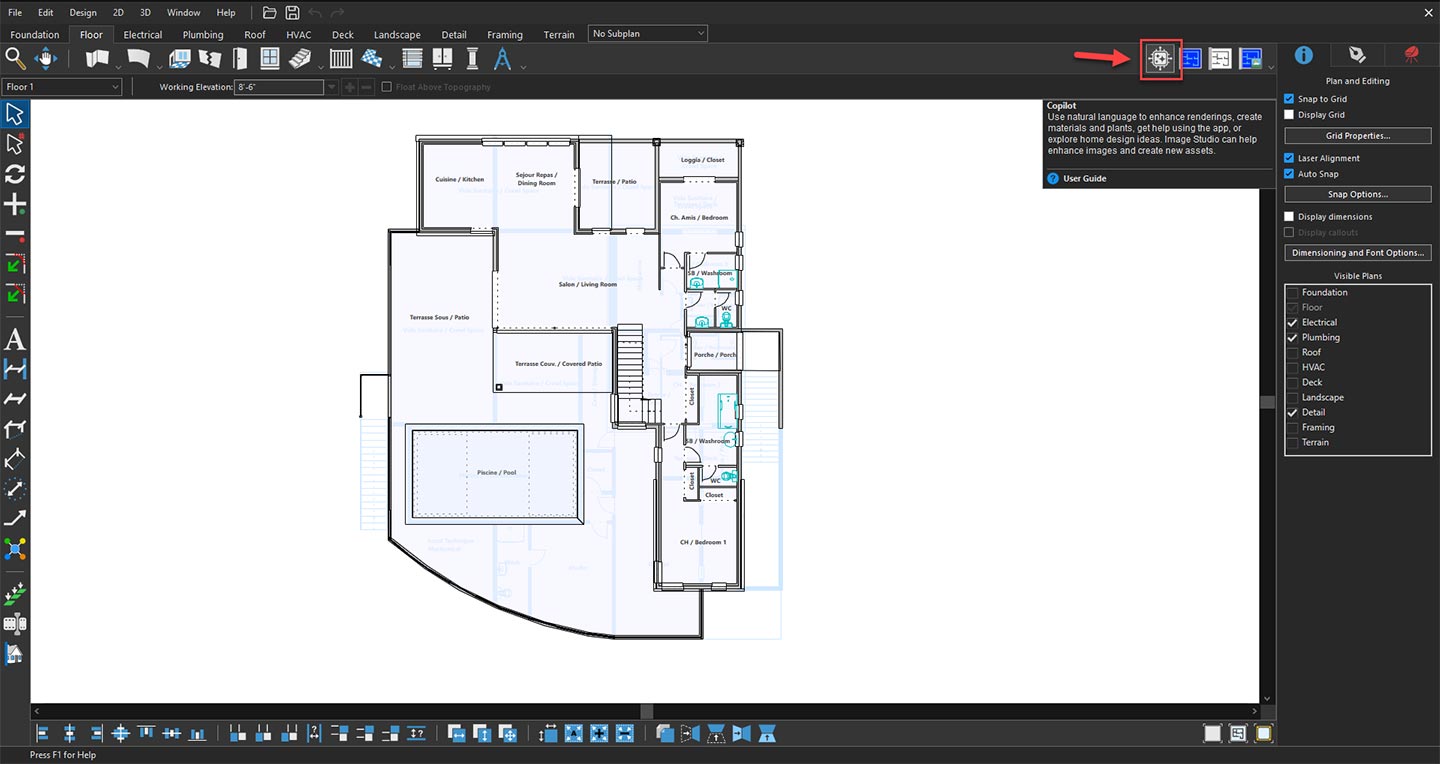
Opening Copilot to explore AI design features
When the Copilot window appears, click the drop-down menu and select General Questions. This mode is specifically designed to answer a wide range of home design questions, provide recommendations, and offer helpful guidance throughout your design process.
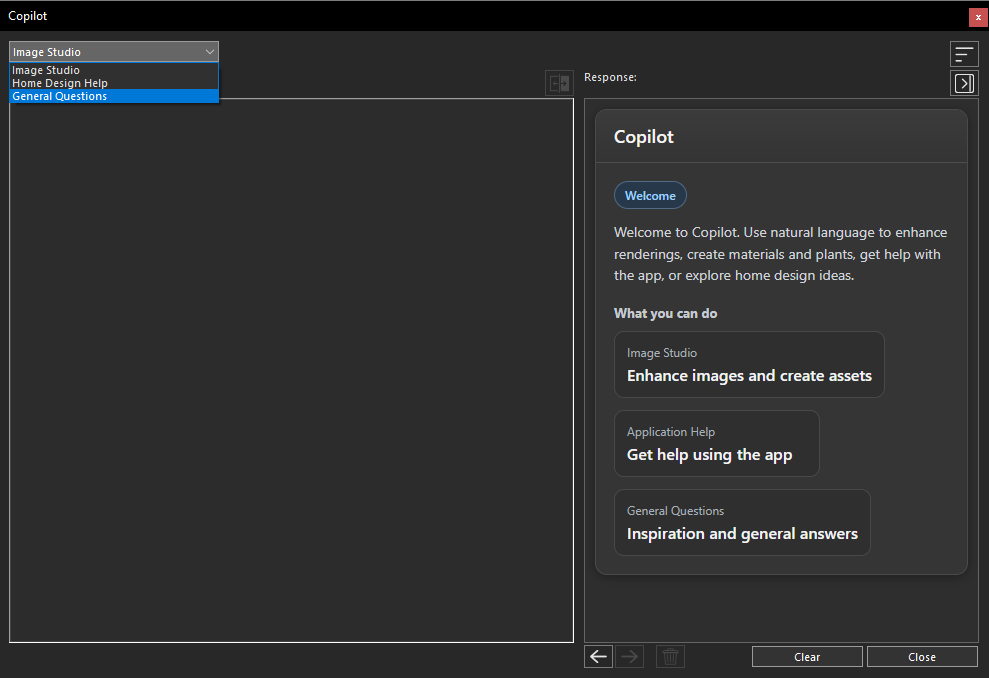
Selecting General Questions from the Copilot dropdown menu
After selecting General Questions, the corresponding Copilot interface will appear. In the Prompt field, type your question or describe the information you need. The more detailed and specific your prompt is, the more accurate and relevant the response will be.
For example, you can ask about:
- Room layout and space planning
- Interior and exterior design ideas
- Material and color recommendations
- Lighting suggestions
- Furniture placement
- Architectural styles
- General home improvement advice
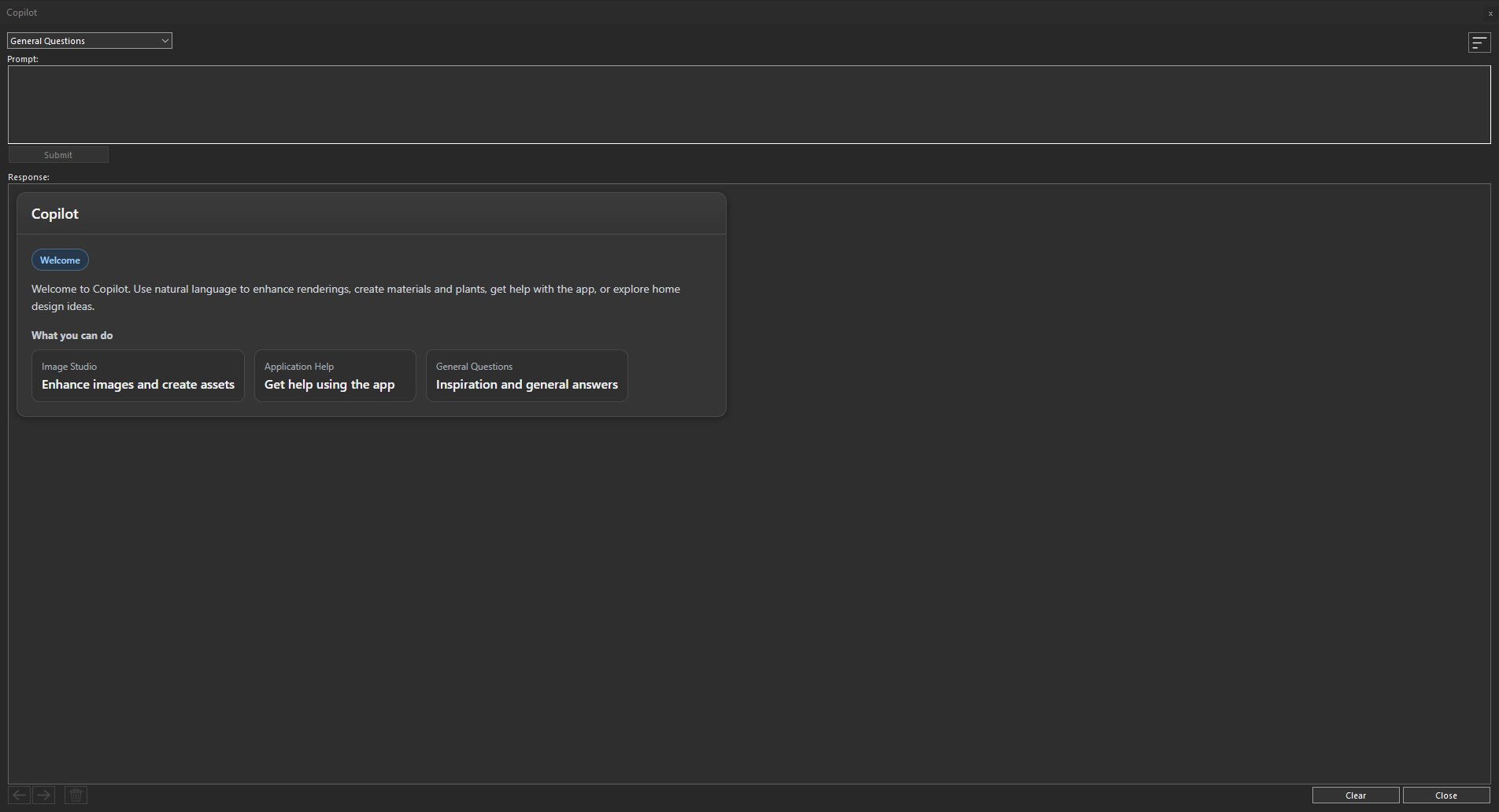
General Questions panel ready for user prompts
Once your prompt is complete, click the Submit button to send your request
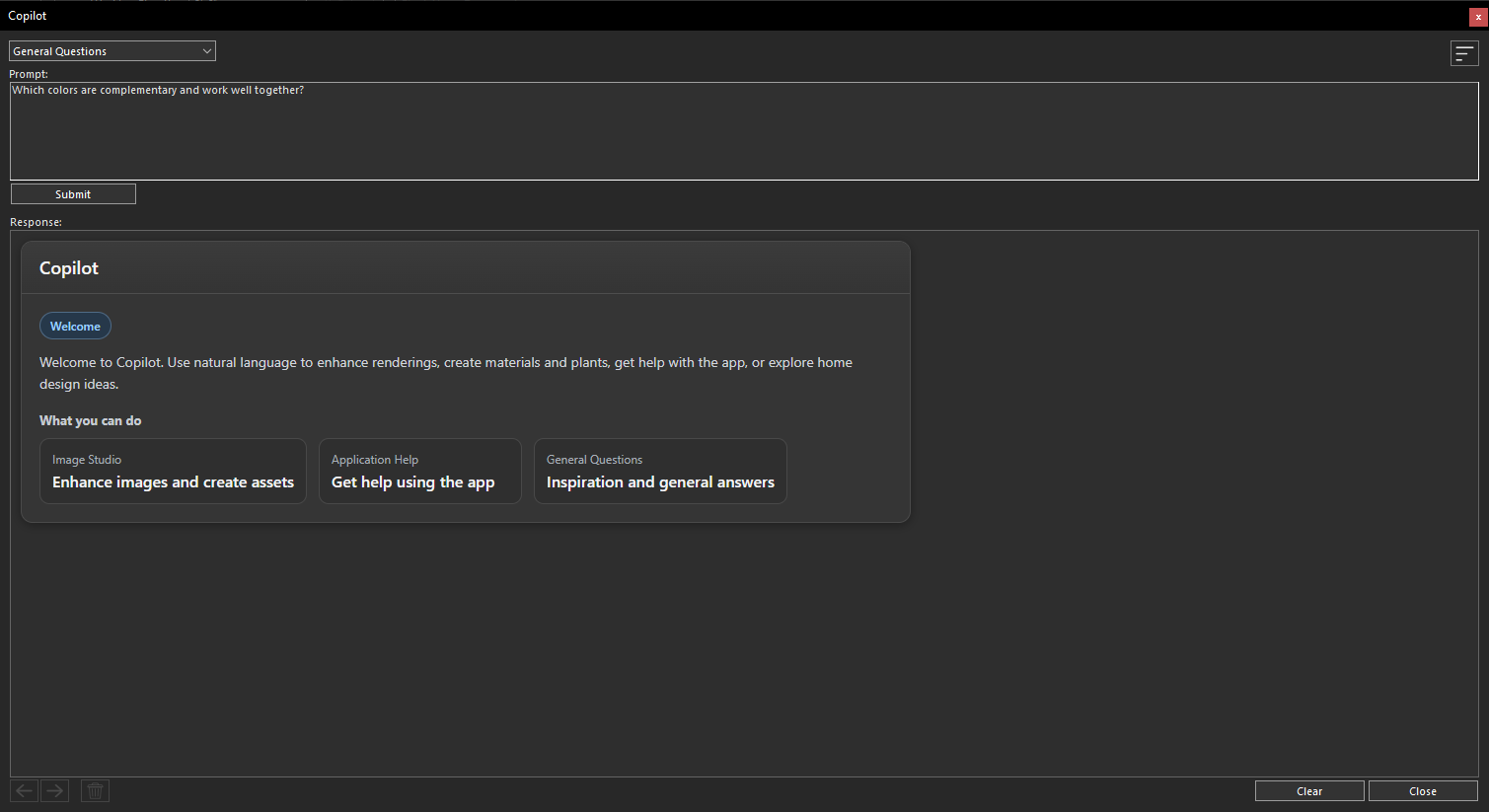
Submitting a query through the General Questions prompt area
The Home Design General Question Copilot will analyze your request and generate a response within a few seconds. The AI provides clear, informative, and context-aware answers based on the question you submitted, helping you make better design decisions without leaving your project.
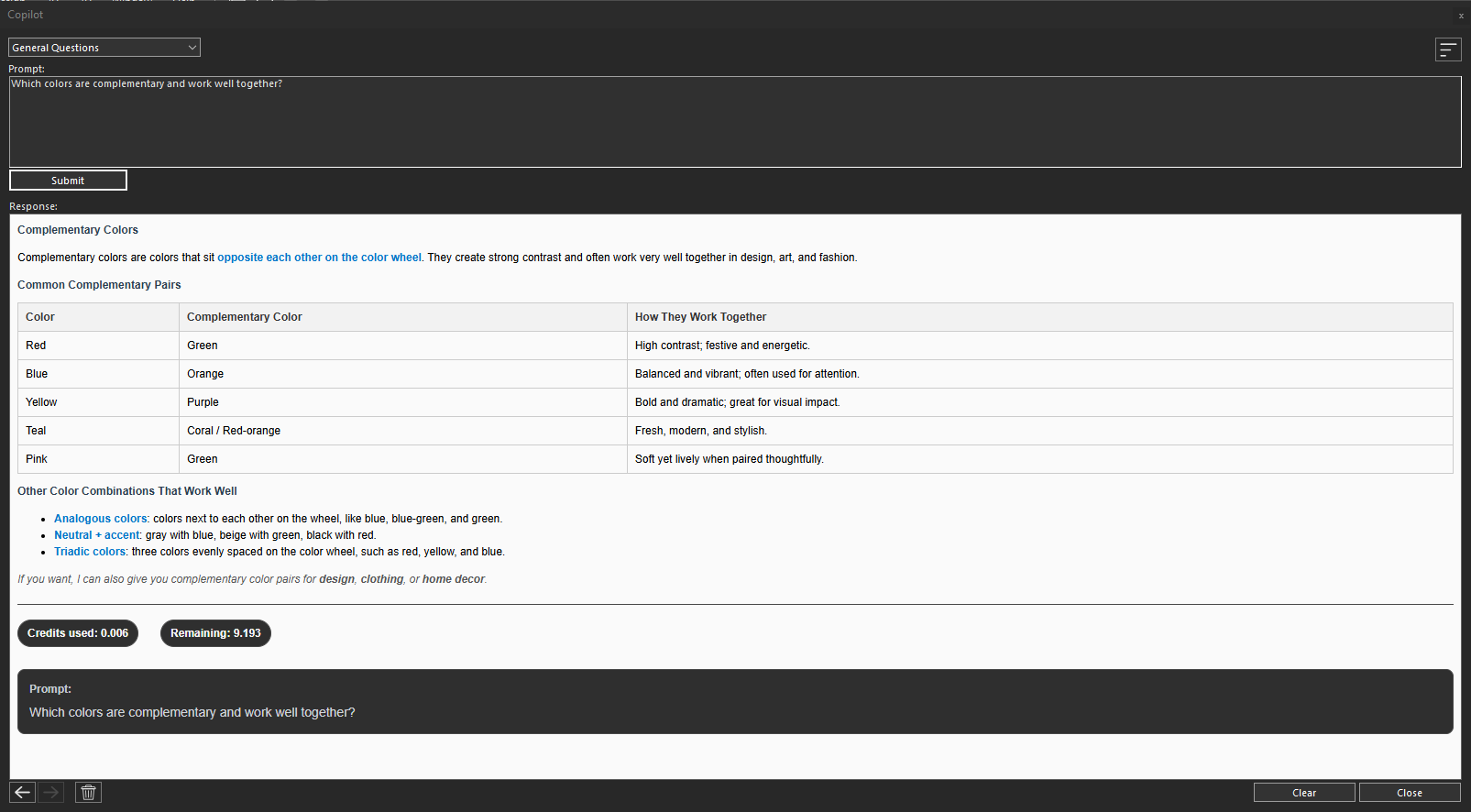
Copilot generated response based on the submitted prompt
Continue Exploring with Additional Questions
There is no limit to asking follow-up questions. You can continue interacting with the Copilot by submitting additional prompts to explore new ideas, clarify recommendations, or gather more information about your project. This conversational approach makes it easy to refine your design, compare different options, and receive expert guidance whenever you need it.
By using the Home Design General Question Copilot, you can quickly find answers, discover design inspiration, and confidently move forward with your home design project while saving valuable time and effort.
Conclusion
The Home Design General Question Copilot makes it easier than ever to find reliable answers and professional guidance without leaving your design workspace. By simply asking questions in natural language, you can receive instant recommendations on layouts, materials, design concepts, architectural styles, and many other home design topics.
Whether you’re a homeowner exploring new ideas or a design professional looking for quick insights, the General Question Copilot helps streamline the design process, improve decision-making, and save valuable time. Simply enter your question, review the AI-generated response, and continue the conversation to refine your ideas and bring your vision to life with confidence.
Copilot Render Showcase
Also check out our Copilot Render Showcase by clicking the banner below.