Disclaimer: The features described in this blog require the Home Design Copilot Add‑On. You can purchase the add‑on here: Home Design Copilot
Home Design Help in Copilot is a powerful assistance feature designed to help users get quick guidance and support while working on their home design projects. Integrated directly within the Home Design Copilot environment, this feature provides users with an easy way to find information, understand different design tools, and get answers to common questions without interrupting their workflow. It acts as a helpful companion that assists users throughout different stages of the design process, from exploring application features to improving their overall project experience.
With Home Design Help, users can access valuable information and guidance related to Home Design functionalities, making it easier to learn and utilize the application effectively. Whether a user needs assistance understanding a specific feature, wants to explore available design options, or requires help with completing a task, the feature provides relevant responses to support their needs. This reduces the time spent searching for information and allows users to focus more on creating and refining their designs.
By bringing helpful resources and AI-powered assistance directly into the application, Home Design Help enhances usability and makes the design process more efficient. It is especially beneficial for both new and experienced users by providing a convenient way to discover features, solve problems, and make better use of the tools available in Home Design.
Step-by-Step Guide to Using Home Design Help Feature
Begin by opening an existing home design project or load one of the sample projects included with the application. Once the project is open, click the Copilot icon on the toolbar to launch the Copilot window.
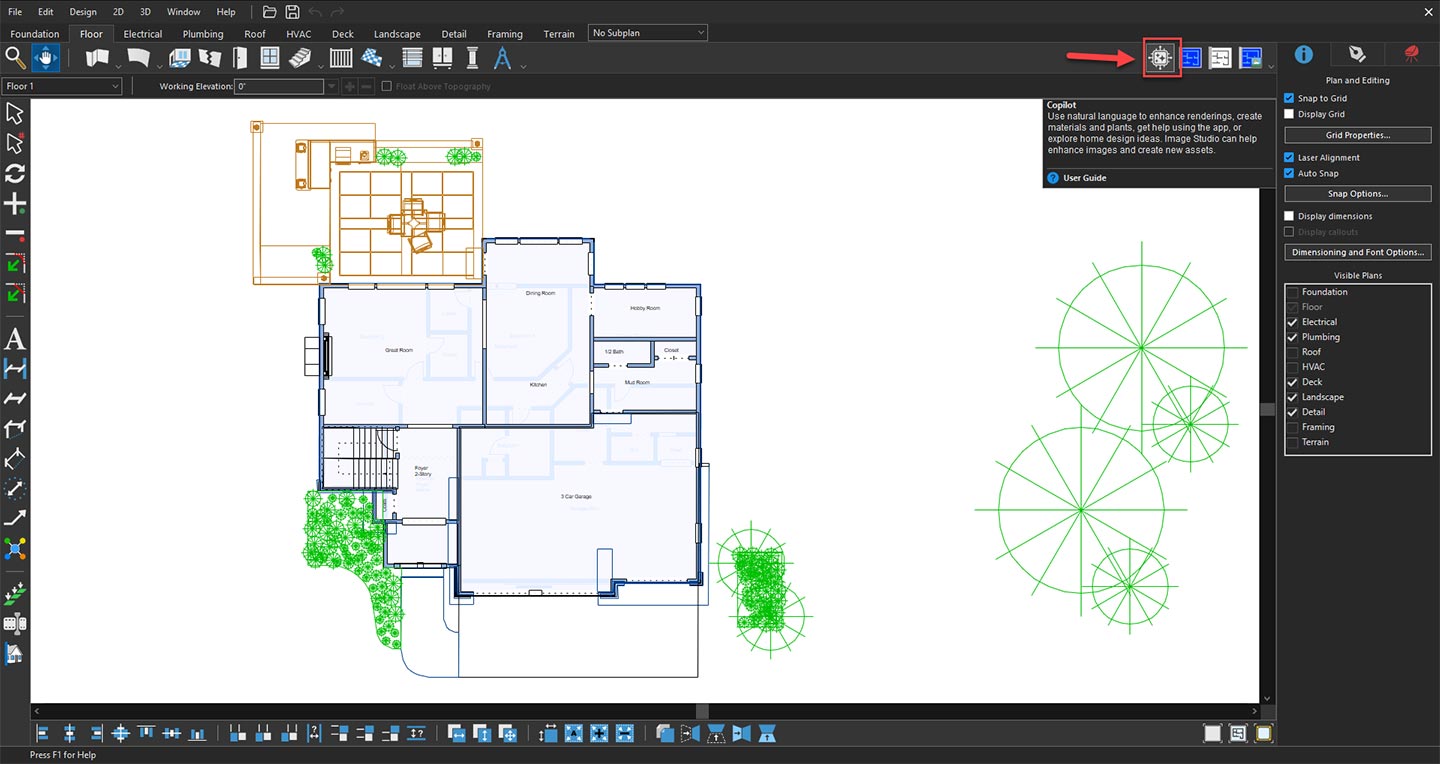
Opening Copilot to explore AI design features
Once the Copilot window is open, select Home Design Help from the available options in the drop-down menu. This feature provides users with dedicated support and guidance for their home design projects by helping them understand application tools, explore design-related options, and find useful information. Home Design Help makes it easier to get assistance while working on a project by providing relevant responses and recommendations to improve the overall design workflow.
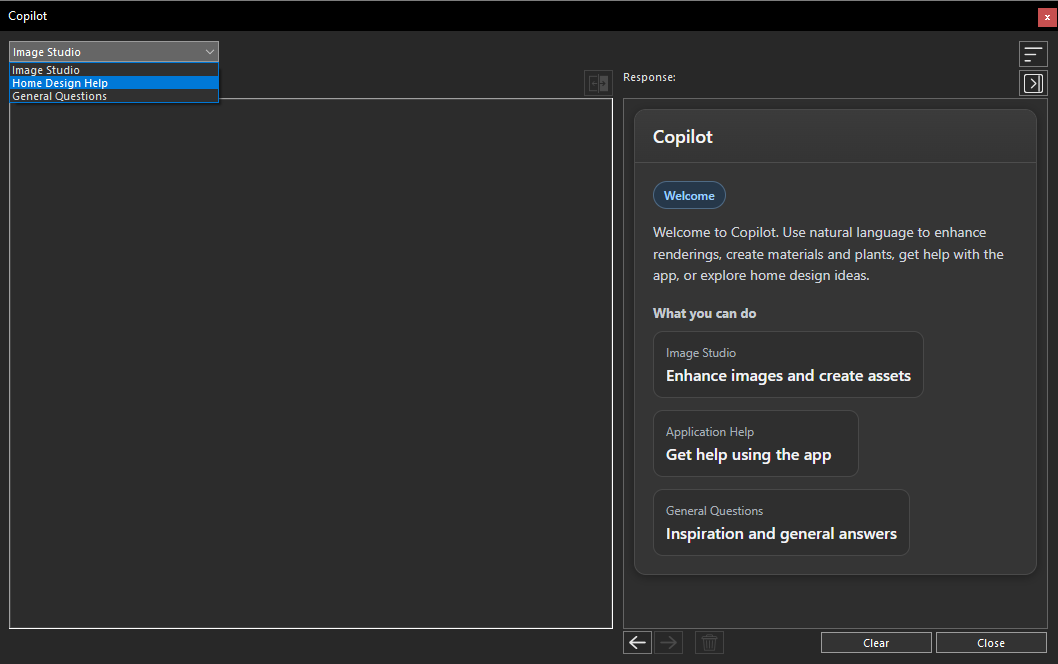
Selecting Home Design Help from the Copilot dropdown menu
After selecting Home Design Help, the relevant Copilot interface will appear, allowing you to request assistance related to your home design projects. In the Prompt field, you can enter your questions, describe the design-related information you need, or ask for guidance about specific features and workflows. Providing a clear and detailed prompt helps Copilot better understand your requirements and generate more accurate and useful responses.
With Home Design Help, you can get assistance on a variety of home design topics, including understanding design tools, exploring interior and exterior design concepts, improving room layouts, selecting suitable materials and colors, planning furniture arrangements, learning about architectural styles, and getting recommendations for enhancing your overall home design experience. This feature helps you quickly find relevant information and make better design decisions while working within Home Design.
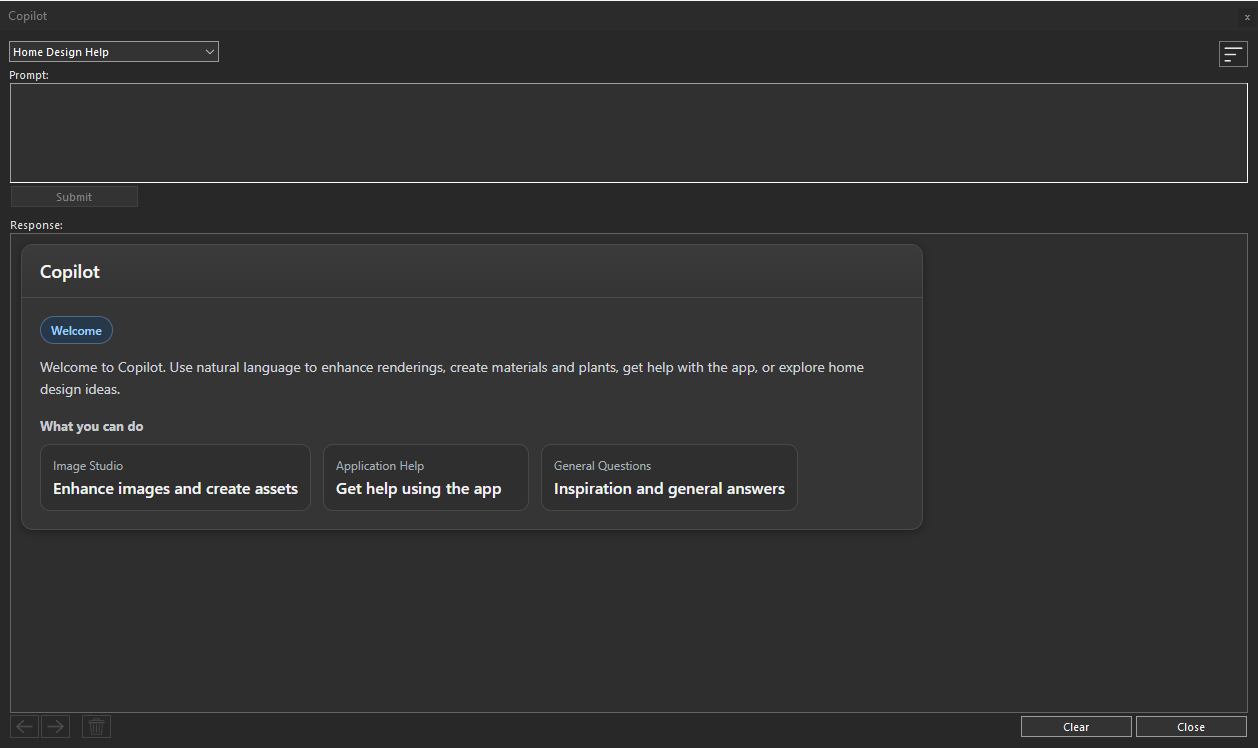
Home Design Help panel ready for user prompts
Once your prompt is complete, click the Submit button to send your request
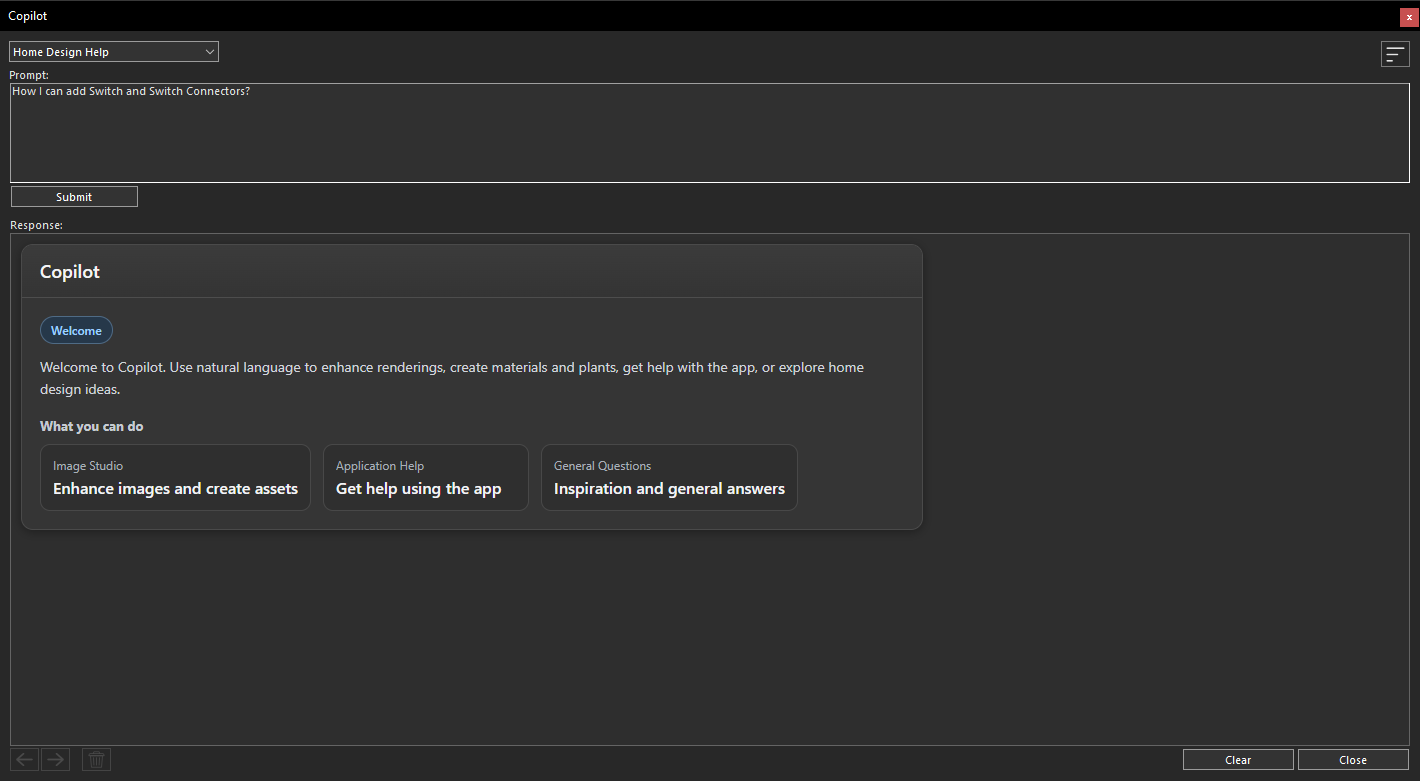
Submitting a query through the Home Design Help prompt area
The Home Design Help Copilot will analyze your request and generate a response within a few seconds. The AI provides clear, informative, and context-aware answers based on the question you submitted, helping you make better design decisions without leaving your project.
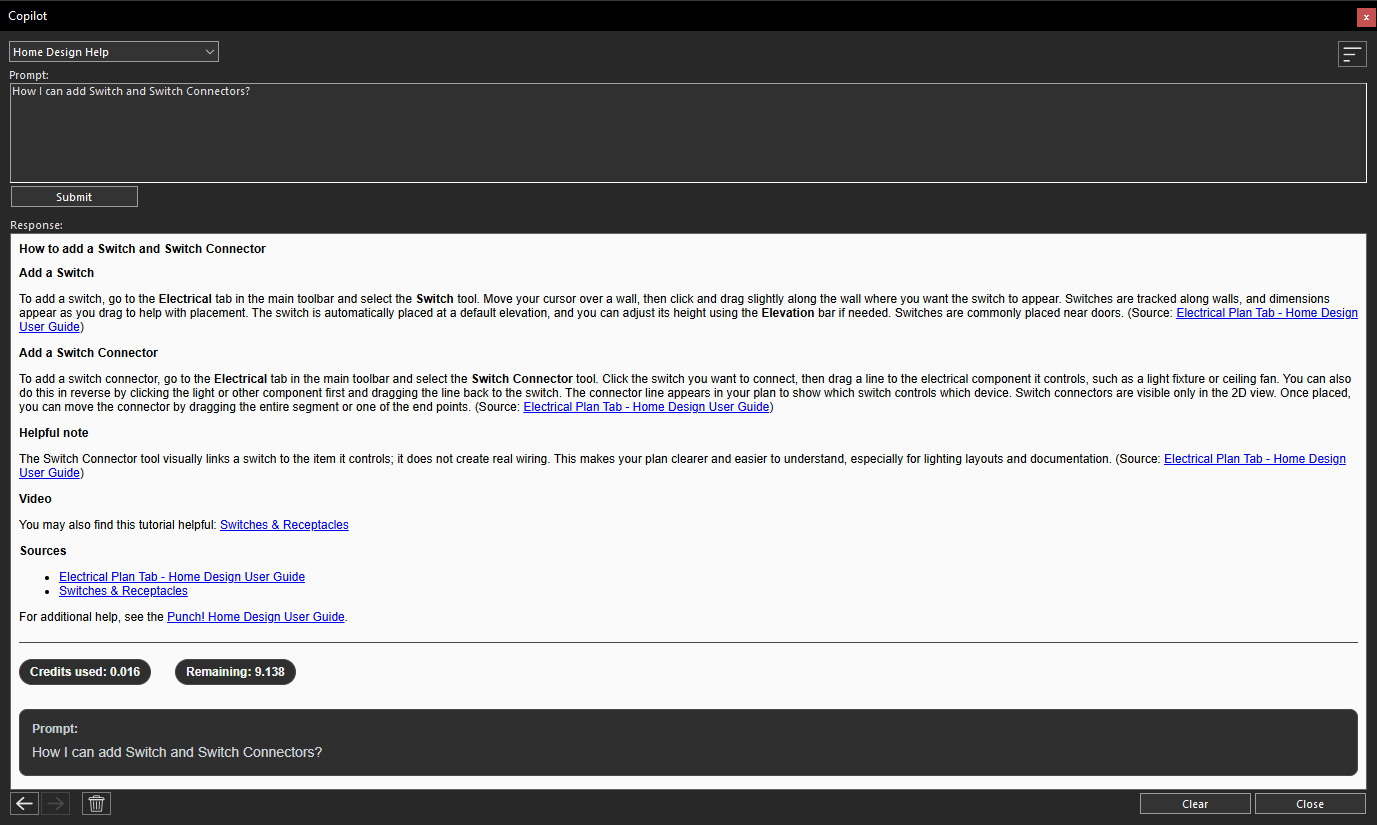
Copilot generated response based on the submitted prompt
Continue Exploring with Additional Home Design Help Queries
There is no limit to the number of questions you can ask in Home Design Help. You can continue interacting with Copilot by submitting additional prompts to explore different design possibilities, get further assistance, clarify information, or receive more guidance related to your project. This interactive approach allows you to refine your ideas, explore various design solutions, and make informed decisions throughout your home design process.
By using Home Design Help in Copilot, you can quickly access useful information, understand available design features, discover creative ideas, and get the support you need to enhance your home design projects. This helps you save time, improve your workflow, and confidently move forward with your design decisions.
Conclusion
Home Design Help in Copilot provides an efficient and convenient way to access guidance and support while working on your home design projects. By offering quick responses, helpful information, and design-related assistance, this feature helps you better understand available tools, explore creative possibilities, and improve your overall workflow.
Whether you need help learning features, exploring design ideas, or finding solutions during the design process, Home Design Help acts as a valuable companion within Home Design. By using this AI-powered assistance, you can save time, make better design decisions, and create your projects with greater confidence and ease.
Copilot Render Showcase
Also check out our Copilot Render Showcase by clicking the banner below.